

I recently got a chance to explore GraphQL, it was an absolute revelation. I realized I could finally have a more elegant way to expose the clean, curated data from our new Microsoft Fabric environment to modern applications. This blog post is a summary of that journey, explaining exactly what GraphQL is, why you need it, and how it transforms data access.
GraphQL:
GraphQL is a query language for your API and a server-side runtime for executing those queries. It was developed by Facebook and open-sourced in 2015.
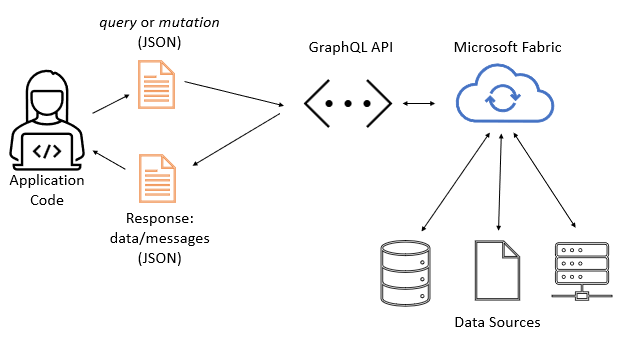
The key distinction is that, unlike REST, where the server dictates the data structure sent from fixed endpoints, GraphQL puts the power in the client’s hands. The client specifies exactly the data (fields, objects, relationships) it needs, and the server responds with a JSON object that perfectly matches that structure. Image Reference from MS Learn
Importance and Why It Is Required
Why do we need yet another way to communicate with data? The necessity of GraphQL stems from the pain points of traditional data access:
- Eliminating Over-Fetching (The Necessity): In a REST API, an endpoint
/users/1might return 20 fields, even if your application only needs the user’s name and email. This wastes bandwidth, increases latency, and puts unnecessary load on the network and server. GraphQL solves this by allowing the client to request onlynameandemail. - Addressing Under-Fetching (The Requirement): To build a user profile page, a REST architecture might require:
GET /users/1GET /users/1/ordersGET /users/1/addresses
That sounds like a very comprehensive and well-structured blog post! Here is the complete draft, incorporating the engaging introduction and addressing all the new points you listed: “what is graphql, importance of graphql, why it is required?, where we will use it? one scenerio, example, benefits and disadvantages of GraphQL conclusion.” I’ve also made sure to keep the context of Microsoft Fabric as a primary use case.
Where Will We Use GraphQL
GraphQL is ideal for any application where client performance, network efficiency, and flexible data requirements are critical. This is particularly true in the following areas:
| Use Case | Description |
| Modern Web/Mobile Apps | Building fast, data-intensive front-ends (like a dashboard or e-commerce site) that need to consume precise data from a backend. |
| Backend-for-Frontend (BFF) | Creating a dedicated API layer that aggregates data from multiple microservices before serving it to a specific client UI. |
| Unified Data Platforms (Like Fabric) | Exposing large, complex data lakes or warehouses (Lakehouse, Data Warehouse) via a single, secure, and flexible API layer, without forcing developers to write complex SQL. |
Scenario with General Example:
Microsoft Fabric API for GraphQL is a data access layer that allows for quick and effective querying of numerous data sources using a widely used and well-known API technology. The API enables you to abstract the intricacies of backend data sources, allowing you to focus on your application’s logic while providing all of the data a client need in a single call. GraphQL employs a simple query language and easily manipulatable result sets, reducing the time it takes for applications to access your data in Fabric.
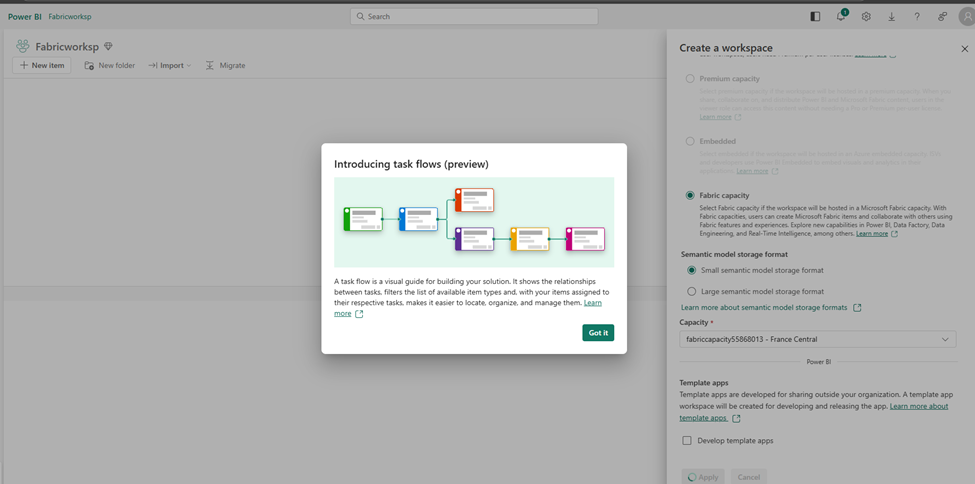
Create a workspace: create a workspace with Fabric enabled. Workspace name: FabricWorksp
Now, Let’s create a SQL Database with sample data
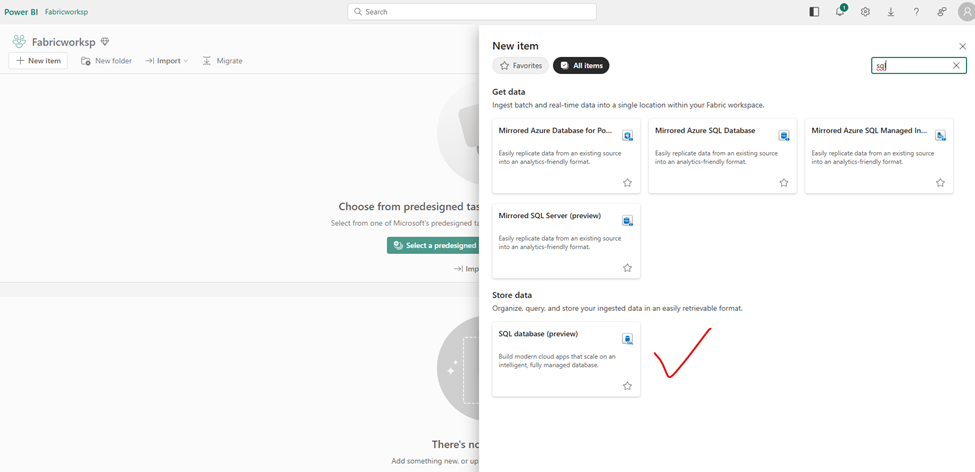
I have given a name ADWDB ad DB name
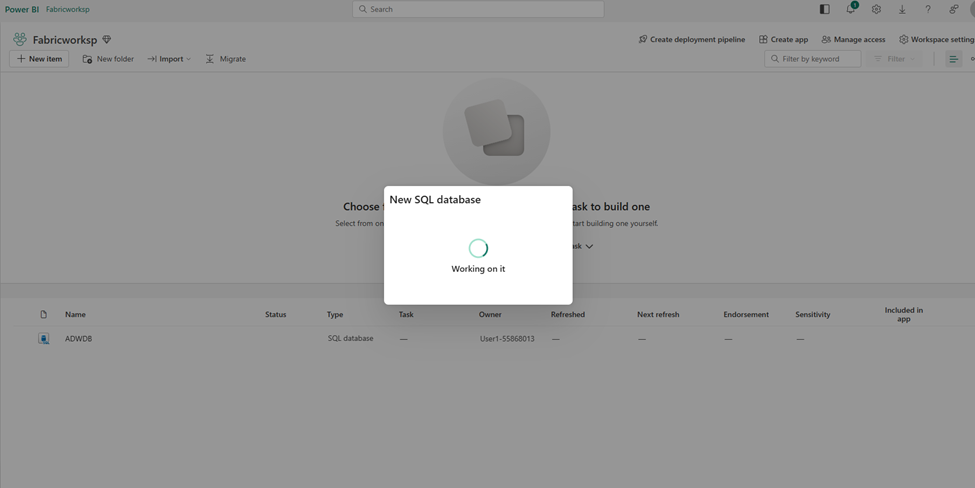
Same as with Lakehouse, with data warehousing we can see the ADWDB explorer as below: Once you have created your database, you can load sample data into your database from the sample data card.
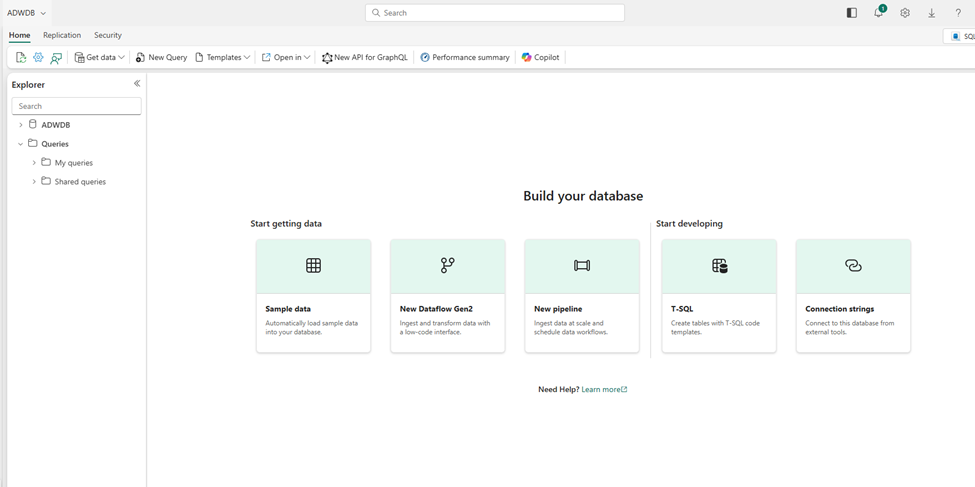
Choosing sample data for testing purpose:
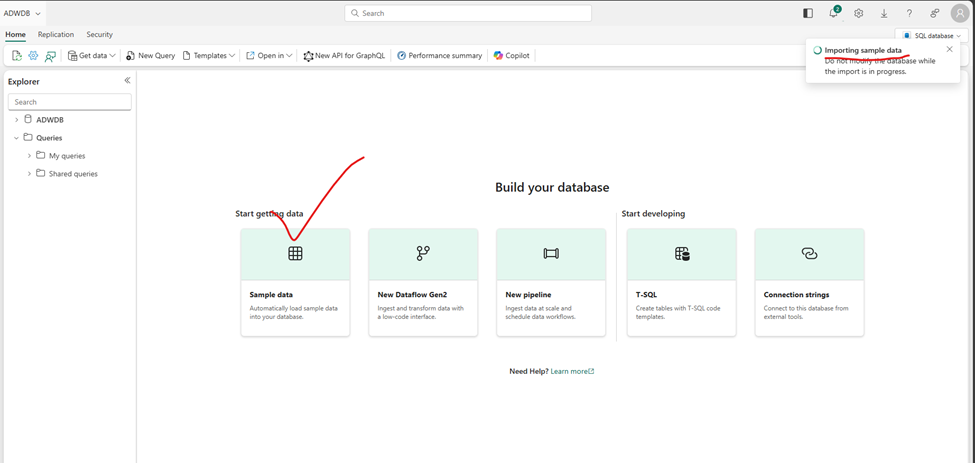
Now, the database will be populated with sample data for the AdventureWorks scenario.
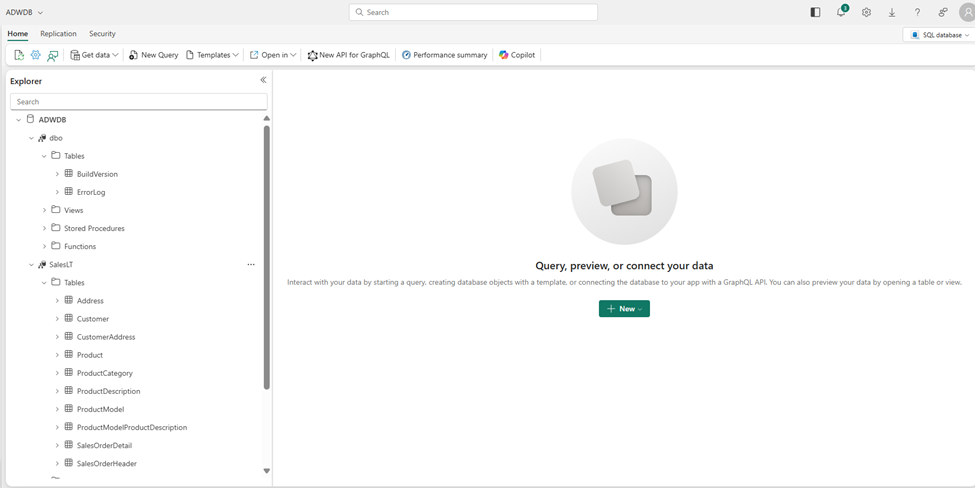
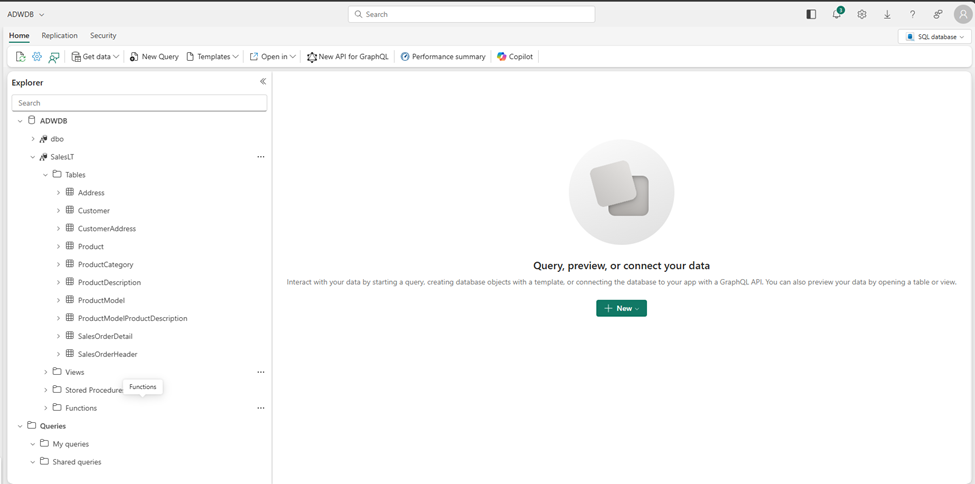
Query SQL database:
The SQL query editor supports IntelliSense, code completion, syntax highlighting, client-side parsing, and validation. You can execute DDL, DML, and DCL statements.
SELECT
p.Name AS ProductName,
pc.Name AS CategoryName,
p.ListPrice
FROM
SalesLT.Product p
INNER JOIN
SalesLT.ProductCategory pc ON p.ProductCategoryID = pc.ProductCategoryID
ORDER BY
p.ListPrice DESC;
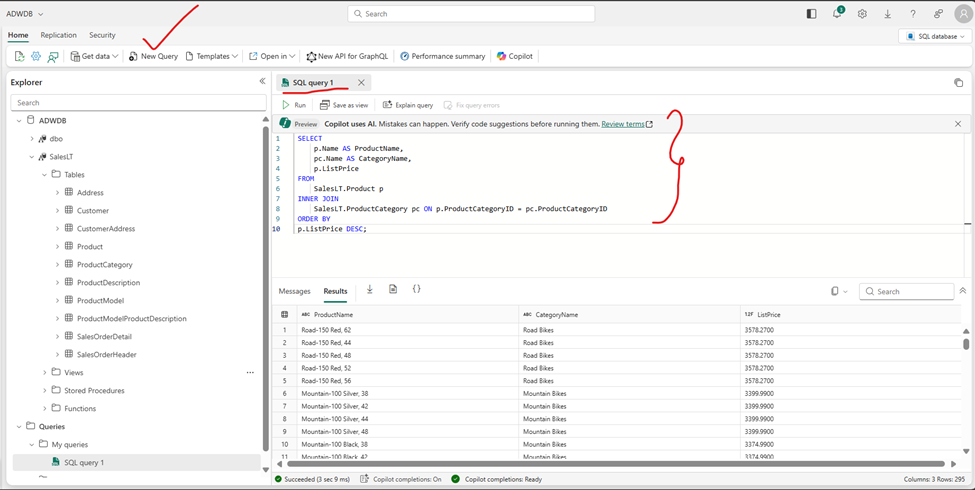
This query joins the Product and ProductCategory tables to display the product names, their categories, and their list prices, sorted by price in descending order.
Now, let’s create an API for GraphQL: go back to the workspace and select the New Item and choose API for GraphQL
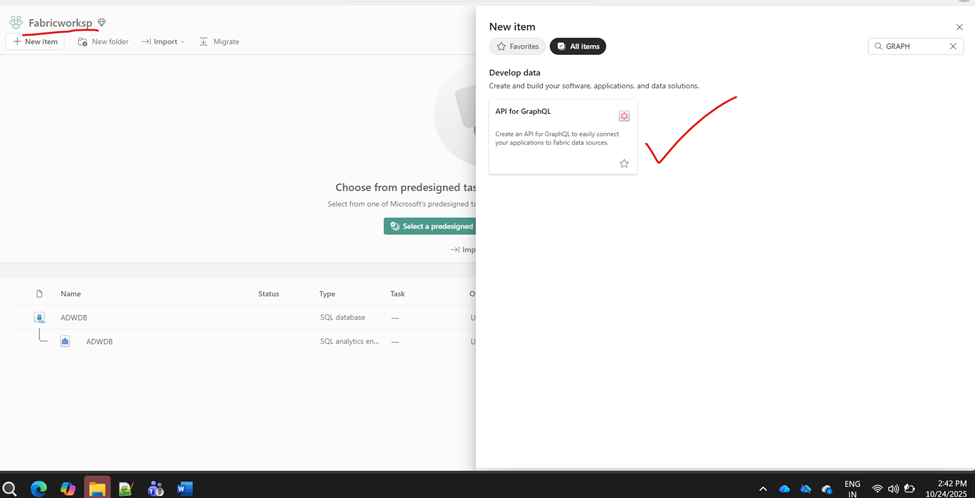
Below indetailed steps i have posted as per sequence:
- If prompted to select a connectivity option, select Connect to Fabric data sources using single sign-on (SSO) authentication.
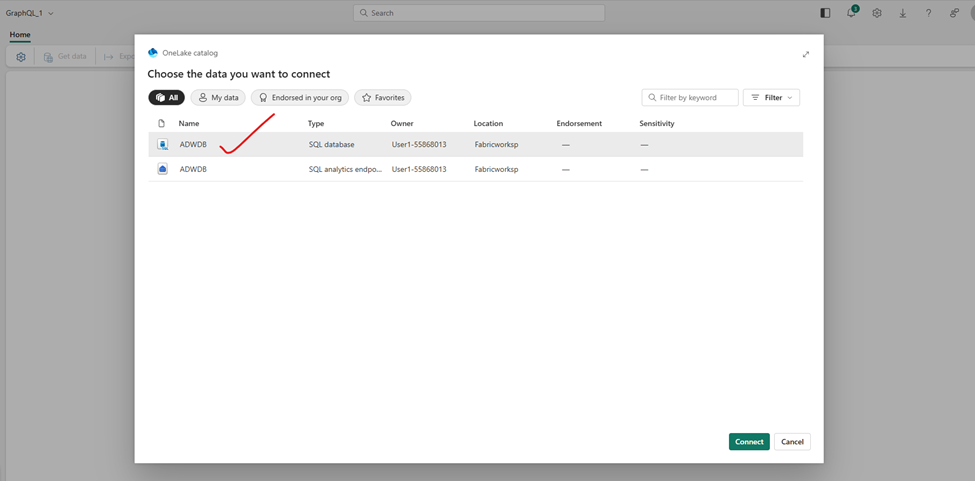
- On the Choose the Data You Want to Connect page, select the previously created ADWDB database.
- Select Connect.
- On the Choose Data screen, pick SalesLT.Product table.
- Preview the data and then pick Load.
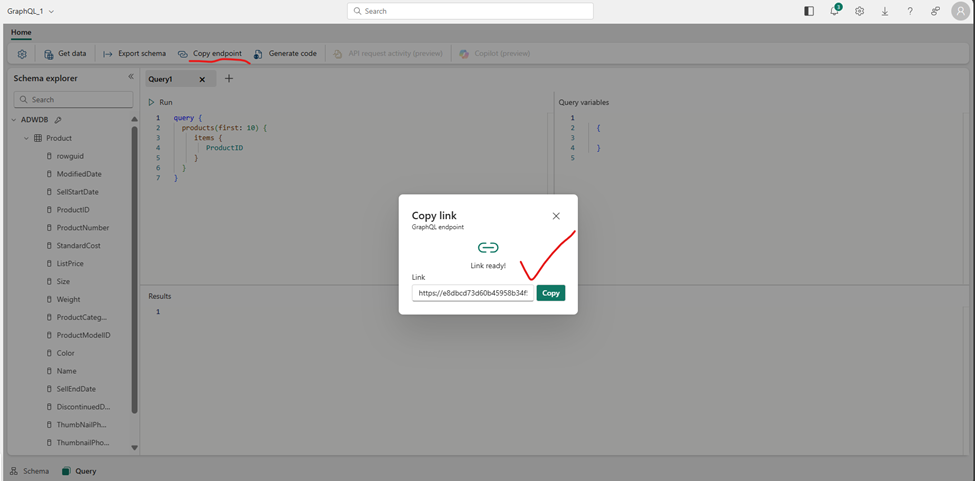
- Select Copy endpoint and take note of the public URL link. We do not require this, however that is where you would go to copy your API address.
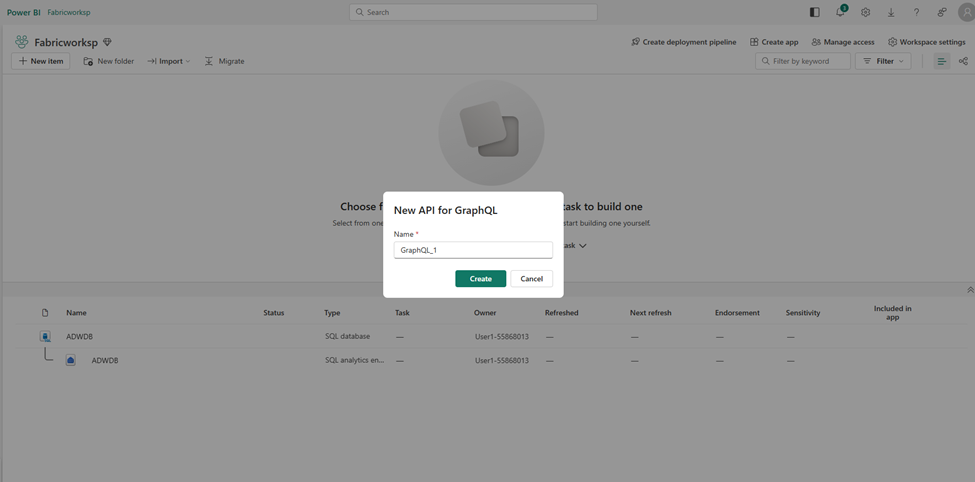
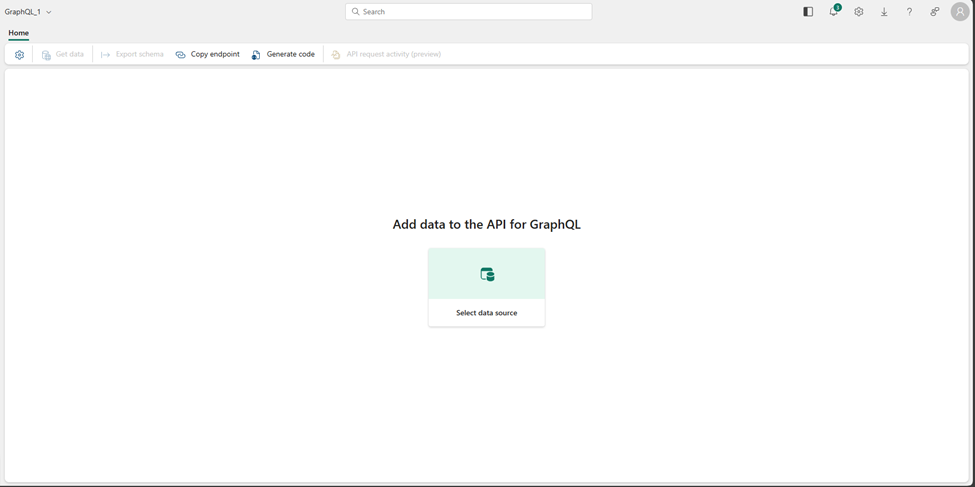
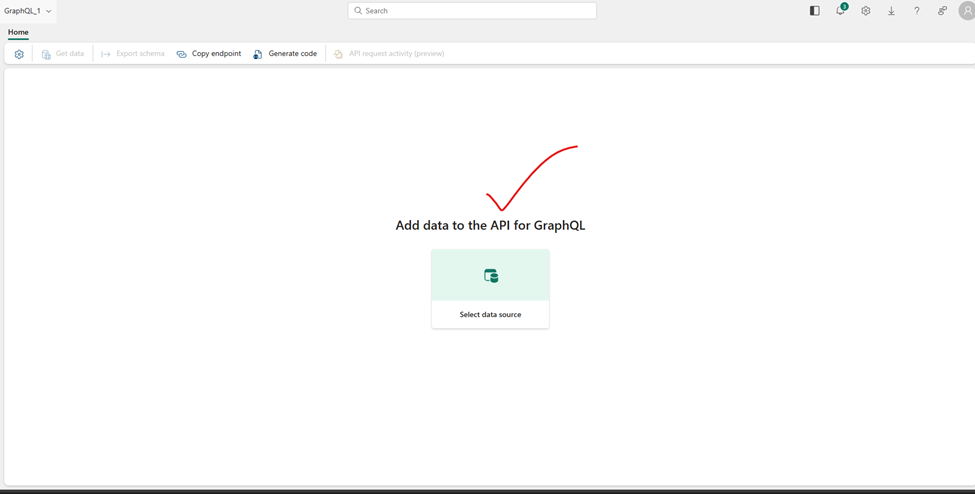
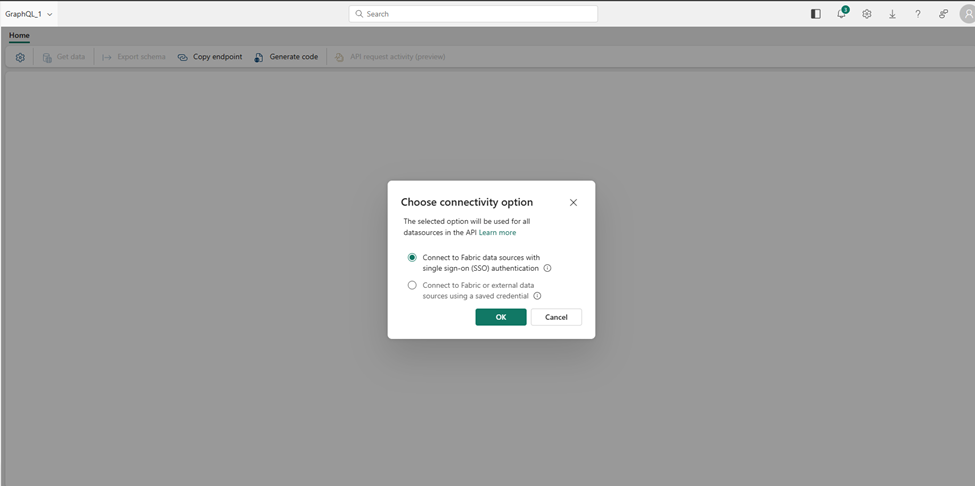
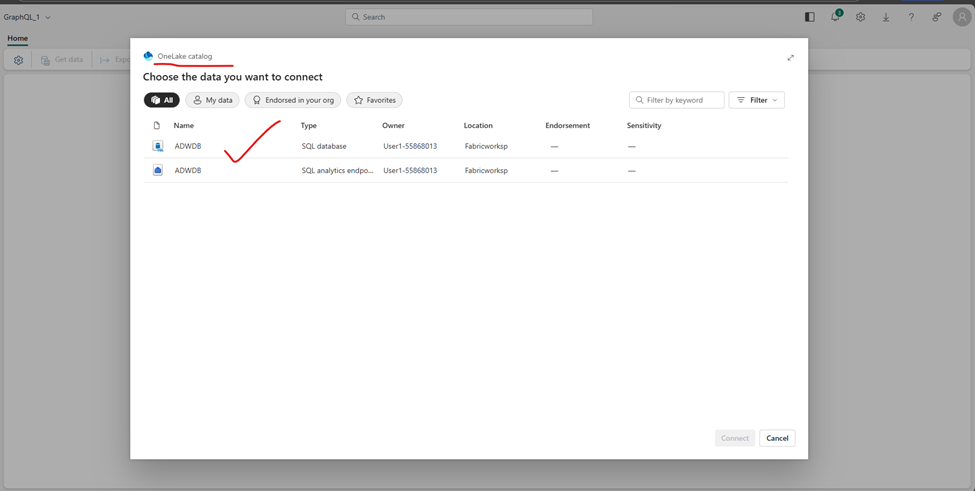
Select DB:
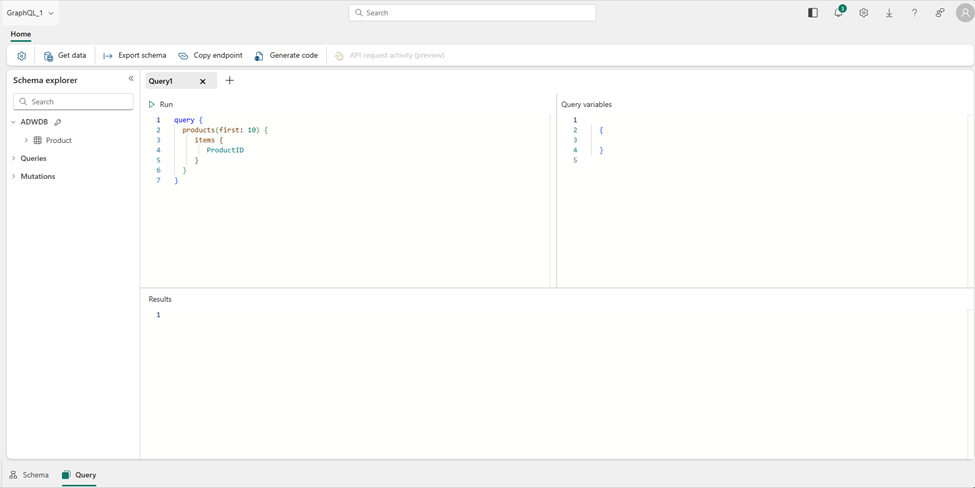
Query data using GraphQL
Copy Endpoint:
Now that our API is created, we only want to expose the sales data for reading operations in this scenario.
- On the Schema explorer of your API for GraphQL, expand Mutations.
- Select on the … (ellipsis) next to each mutation and select Disable.
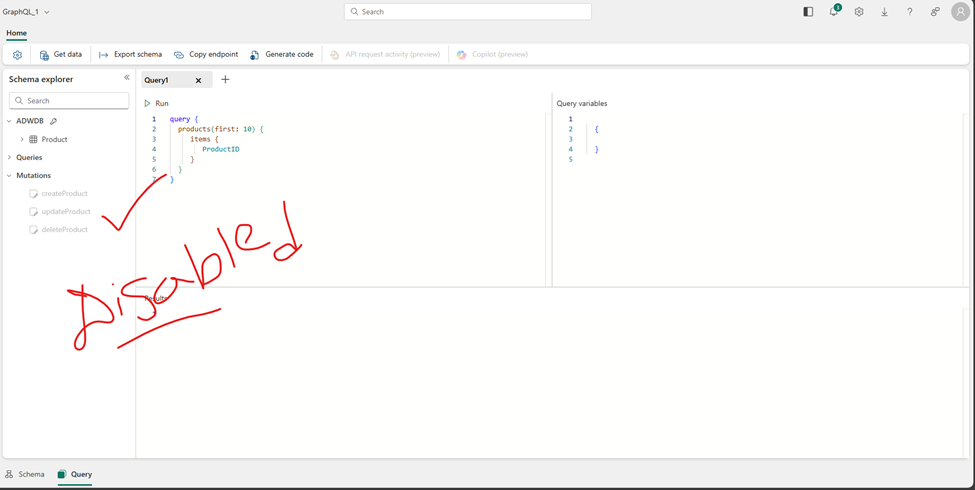
This will prevent any modifications or updates to the data through the API. This means that the data will be read-only, and users will only be able to view or query the data, but not make any changes to it.
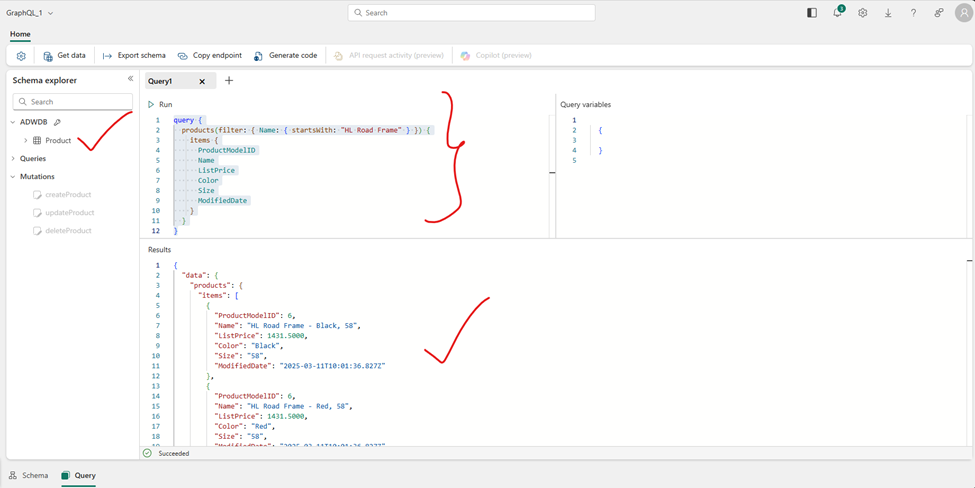
let’s query the data using GraphQL to find all the products whose names begin with “HL Road Frame.”
Disable mutations
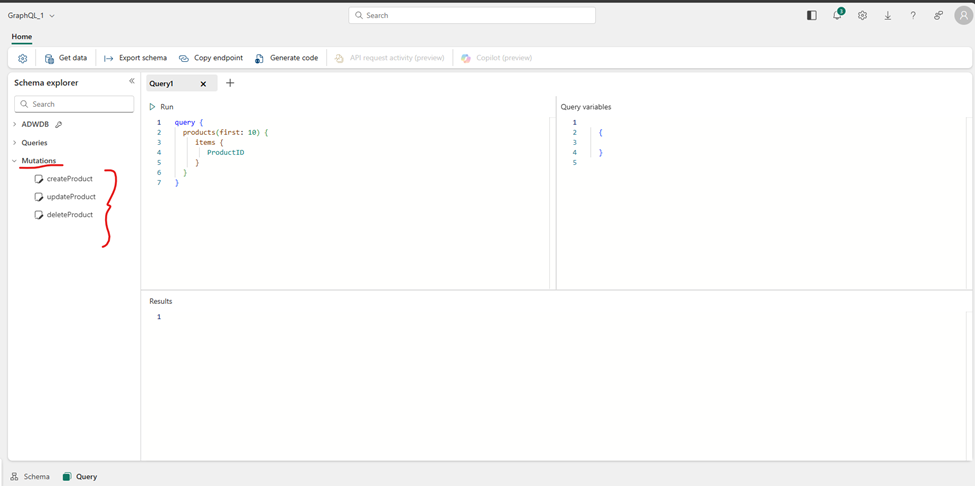
Disabled: hover on the top … ellipse and disabled option is there
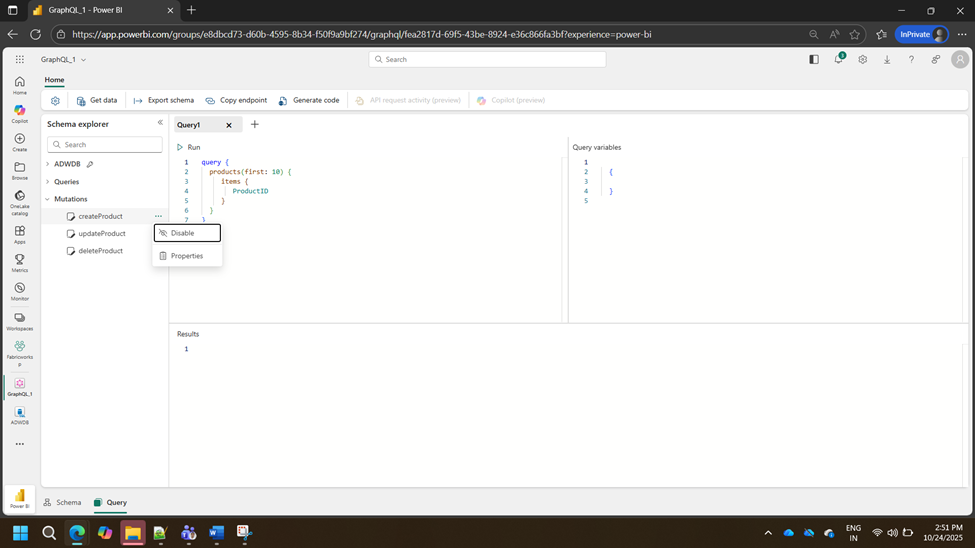
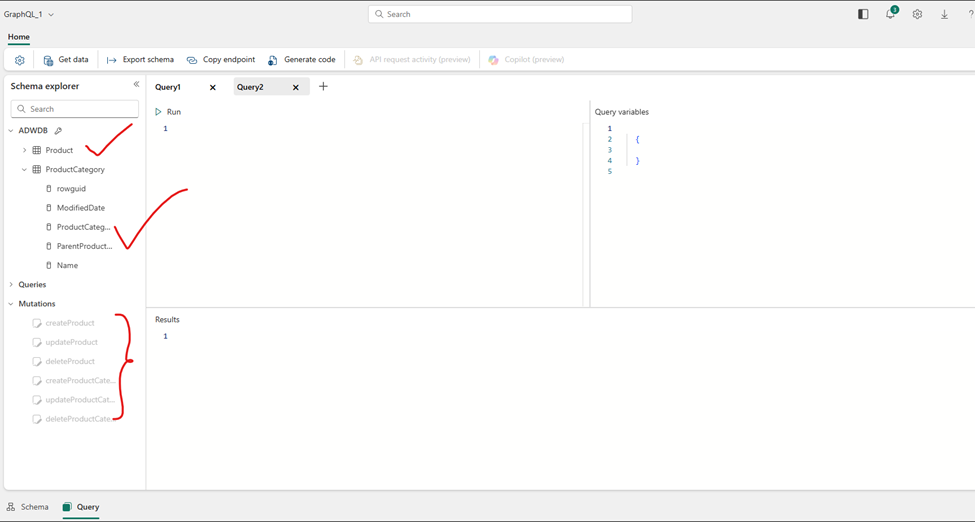
I have disabled create, update and delete on product
Execute the query on pasted
let’s query the data using GraphQL to find all the products whose names begin with “HL Road Frame.
only it get dsipace the result set with begin with “HL Road Frame.”
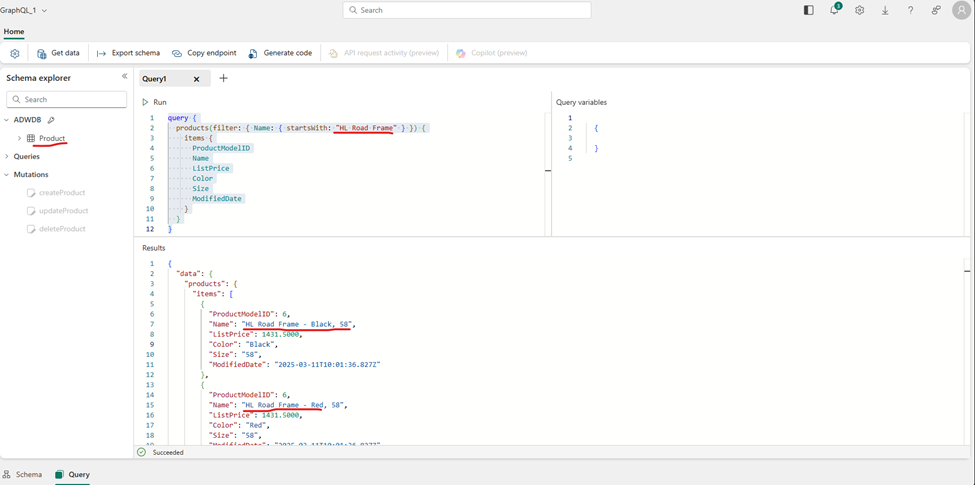
similarly i have fetched one more table Product category:
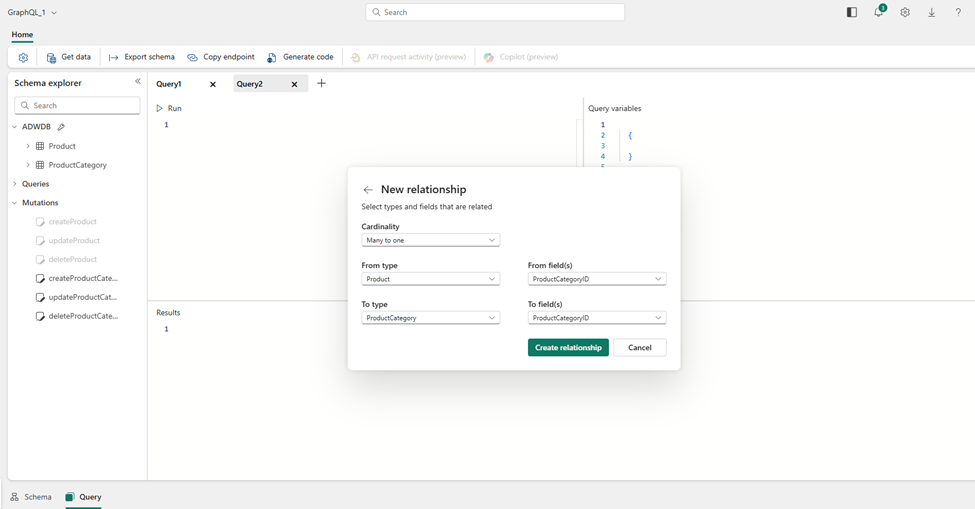
Build the data model as well via fetched tables:
Conclusion
The Microsoft Fabric API for GraphQL is more than just a developer tool—it’s a philosophy shift in how we access our consolidated data assets. It directly addresses the shortcomings of traditional APIs by giving consumers the power to define their data needs.
By leveraging GraphQL, you can transform your Fabric data into a highly efficient, performant, and flexible service layer, enabling you to build responsive, modern applications that consume data intelligently. I highly recommend exploring this feature in your own Fabric environment to experience the difference firsthand!
Happy Reading!